KMD Travel Wiki
KMD Travel is a Kingdom Come: Deliverance inspired fast-travel mod for Minecraft. It adds discoverable travel posts, a parchment-style fast travel map, risk/reward travel events, shared public posts, banner-based map markers, and server-configurable event profiles.
This document is written for players, server owners, modpack makers, and admins who want to configure or extend the mod.
Addon Development
Addon makers can extend KMD through event profile JSON, datapack recipes, command integrations, and compatibility mods. See the dedicated Addon Development page for dependency examples, event JSON, NBT examples, command usage, and Java snippets for Fabric/NeoForge addons.
Supported Loaders
KMD currently has separate builds for:
- Forge 1.20.1
- NeoForge 1.21.1
- NeoForge 1.21.10
- Fabric 1.21.1
- Fabric 1.21.10
- Fabric 26.2
The feature goal is parity between all maintained loaders, but Minecraft-version differences can affect command syntax, entity NBT, recipe folders, and item component formats.
Default Event Profile
KMD ships a KMD_Events profile with biome-based passive and hostile encounters, custom mobs, merchant trades, and rare fantasy events. See the Default Event Profile page for the full event list and NBT notes.
Quick Start
- Install KMD Travel on the client and server.
- Place a travel post.
- Right-click the post to discover it.
- Place and discover at least one more travel post.
- Right-click a discovered post to open the fast travel map.
- Click another discovered post on the map to travel.
Regular travel posts are private per player: each player must discover them for themselves.
Shared travel posts are public: once placed, everyone can see and use them without discovering them first.
Core Gameplay
Travel Posts
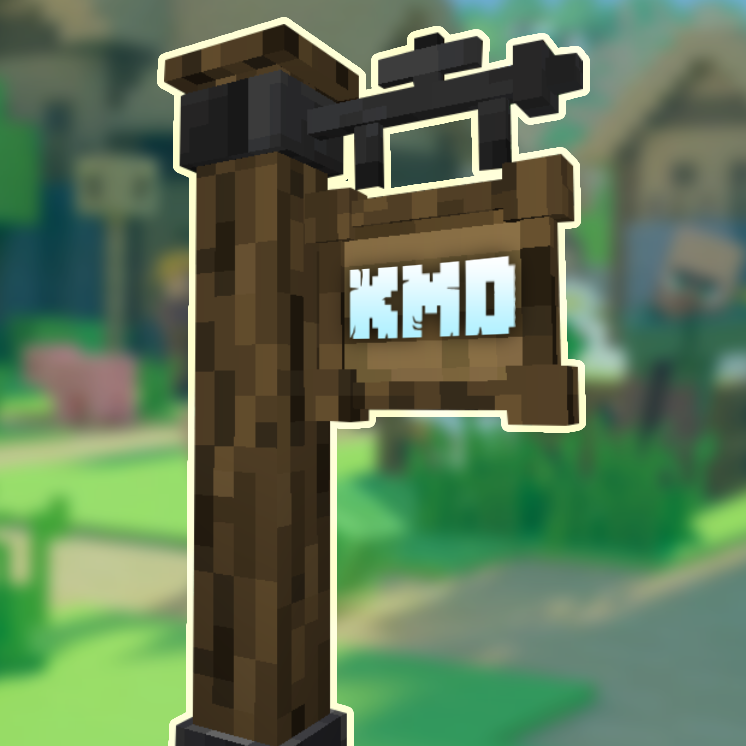
Travel posts are the main fast-travel anchors. A player can only travel between posts they know about.
Regular posts:
- Are discovered per player.
- Become known to the player who places them automatically.
- Play a discovery jingle and show a chat message when discovered.
- Can be renamed.
- Can have their sign text dyed.
- Can have their map marker changed with a banner.
Shared posts:
- Are public server-wide travel points.
- Do not require each player to discover them.
- Use a fancier model.
- Can be disabled for crafting by an admin.
- Still support custom banner map markers.
Discovering Posts
A travel post becomes discovered when:
- You place it yourself.
- You right-click it.
- It is a shared travel post.
When discovered, the player receives a message like:
Discovered: Travel Post
If a normal post says you have not discovered it yet, right-click it first. If the post was placed by you, it should already be discovered.
Renaming Posts
Use sneak/right-click on a travel post to rename it.
Dyeing Sign Text
Right-click a travel post with dye to change the sign text color.
By default, sign text is black.
Banner Map Markers
Right-click a travel post with a banner to change the map marker.
The marker uses the banner’s color/design so players can make custom symbols for:
- Villages
- Castles
- Guild halls
- Quest hubs
- Dangerous areas
- Server spawn
Everyone who discovers the post sees the same marker for that post.
Fast Travel Map
The fast travel map is opened by right-clicking a discovered travel post.
The map shows:
- Discovered travel posts.
- Shared travel posts.
- Explored terrain cache.
- Current player position.
- Marker names.
- Ambush/travel chance while hovering a destination.
- A discovered areas side panel.
Handheld Travel Map
The craftable Travel Map opens as an animated scroll when selected. Its parchment renders the same dimension-aware cached terrain, discovered posts, shared posts, banner markers, and player marker as the full map. The view remains centered on the player while moving.
Right-clicking the Travel Map opens the full destination UI without requiring a nearby post. Travel begun this way uses a synthetic source at the player’s current safe position, so encounters resume the remaining animated journey instead of closing or teleporting directly to the destination.
Map Controls
The map can be:
- Panned by dragging.
- Zoomed in/out within safe limits.
- Recentered through discovered-area selection.
The zoom is intentionally limited so very distant posts do not force the entire world into one screen and tank FPS.
Discovered Areas Panel
The side panel lists known travel locations. Clicking an entry centers the map near that post, making it easier to click the map marker directly.
Map Cache
KMD stores discovered map tiles so the map does not have to rescan the world every time it opens.
The cache updates when:
- You move through an area.
- Nearby chunks are discovered.
- Blocks change in a loaded area.
- You visit different dimensions.
The map cache is separated by dimension, so the Nether, End, Overworld, and modded dimensions should not overwrite one another.
Why Some Areas Are Gray
Gray means the area is not cached or not discovered yet.
If a gray area appears after restart, common causes are:
- Old cache data from an earlier KMD version.
- The chunk was only partially cached.
- The cache was cleared.
- The world was not fully loaded long enough for the tile to finish updating.
To reset map cache, delete the map cache folder listed in the configuration section.
Fast Travel Events
Travel can be interrupted by random events. KMD tries to create the feeling that fast travel is convenient, but not completely safe.
Events can be:
- Passive: no fight required; a timer appears above the hotbar.
- Aggressive: mobs spawn and travel resumes when the event condition is satisfied.
Passive Events
Passive events are peaceful or neutral encounters.
Examples:
- Lost Traveler
- Roadside Merchant
- Campfire Travelers
- Herbalist
- Broken Cart
- Shipwrecked Sailor
- Floating Merchant
Passive events use a timer. When the timer ends, fast travel continues.
Admins can configure the global passive event timer with:
/kmdtravel eventwait 60
Custom passive events can override the global timer with their own duration.
Aggressive Events
Aggressive events involve danger.
Examples:
- Bandit Ambush
- Night Attack
- Forest Ambush
- Swamp Trouble
- Desert Raiders
- Roadblock
- Illager Patrol
- Cave Robbers
- Wolf Pack
- Sea Pirates
- Drowned Raid
Aggressive events can end by:
- Killing tracked spawned mobs.
- A timer, if the event is set to timed completion.
- Admin/manual command completion.
Event Location
KMD chooses an event location along the route between travel point A and travel point B.
The event selection should happen after choosing the event stop location, so biome and dimension filters can match the actual location where the event happens.
For example:
- If you start in an ocean biome but the route passes over a beach, a beach-only event can trigger at the beach part of the route.
- If an event is configured for the Nether, it should only be chosen for Nether travel.
Safe Event Placement
KMD tries to avoid placing events in obviously unsafe places.
The safety logic aims to prevent:
- Spawning the player above void.
- Spawning the player above lava.
- Spawning mobs on random underground Y-levels.
- Spawning surface events on tree canopies.
For non-ceiling dimensions, KMD attempts to find a surface while ignoring leaves, including modded leaves when possible.
For ceiling dimensions like the Nether, placement is handled differently because the world has a roof and many caves.
Commands
Commands require admin permission unless noted otherwise.
The main command root is:
/kmdtravel
Some builds may also support:
/kmd
Help
Opens the in-game KMD help screen:
/kmdtravel help
Use this for command reminders, event editor explanations, NBT examples, and profile notes.
Enable Or Disable Events
Shows current event state:
/kmdtravel events
Turns travel events on:
/kmdtravel events true
Turns travel events off:
/kmdtravel events false
When disabled, fast travel should not trigger interruptions.
Passive Event Wait Time
Shows current passive-event wait time:
/kmdtravel eventwait
Sets passive-event wait time in seconds:
/kmdtravel eventwait 60
Allowed range:
5 - 600 seconds
Custom events can override this with their own duration.
Base Event Chance
Sets the base chance that travel triggers an event:
/kmdtravel basechance 0.25
Range:
0.0 - 1.0
Examples:
0.0means no event chance from the base value.0.25means 25% before modifiers.1.0means 100% before modifiers.
Night Multiplier
Sets the multiplier applied at night:
/kmdtravel nightmultiplier 2.25
Range:
0.0 - 10.0
Example:
/kmdtravel nightmultiplier 3
This makes nighttime travel much more dangerous.
Armor Safety
Armor reduces event chance based on total armor strength, including modded armor where Minecraft exposes the armor/toughness attributes.
Set reduction per armor/toughness point:
/kmdtravel armor perpoint 0.025
Set maximum armor reduction:
/kmdtravel armor maxreduction 0.75
Armor safety affects the chance that an event happens. It does not make a triggered ambush harmless.
Hunger Bonuses
Low hunger increases travel danger.
Set low hunger bonus:
/kmdtravel hunger low 0.22
Set medium hunger bonus:
/kmdtravel hunger medium 0.11
Range:
0.0 - 1.0
Distance Chance
Longer travel can add more danger.
/kmdtravel distancechance 0.10
This is added per 1000 blocks traveled.
Maximum Event Chance
Caps final event chance after modifiers:
/kmdtravel maxchance 0.95
Range:
0.0 - 1.0
Shared Post Crafting
Shows current shared post crafting state:
/kmdtravel sharedpostcrafting
Enables shared post crafting:
/kmdtravel sharedpostcrafting true
Disables shared post crafting:
/kmdtravel sharedpostcrafting false
When disabled, players should not be able to successfully craft or receive shared travel posts from the crafting result.
Event Profiles
List event profiles:
/kmdtravel eventprofiles list
Check global profile:
/kmdtravel eventprofiles global
Set global profile:
/kmdtravel eventprofiles global <profile_id>
Check a player profile:
/kmdtravel eventprofiles player <player>
Set a player profile:
/kmdtravel eventprofiles player <player> <profile_id>
The global profile is the default profile used by players who do not have a personal override.
Finish Encounter
Manually finishes the current KMD encounter for a target player:
/kmdtravel finishencounter <target>
Examples:
/kmdtravel finishencounter Ninjasummoner
/kmdtravel finishencounter @p
/kmdtravel finishencounter @a
This is useful for:
- Command blocks.
- Quest mods.
- Server scripts.
- Custom command-driven events.
Important:
- In command blocks, use a real player selector like
@p,@a, or a player name. - Do not type
<player>literally. {player}is a KMD event-command placeholder, not a normal Minecraft selector.- For event command lists, avoid making
finishencounterpart of a loop. It is safest as an external command from a quest, command block, or script.
Event Profiles
Event profiles are groups of events. They can be shared between loaders (Neoforge,Fabric,Forge) even shared across game versions and they should load properly inside the mod. Make sure though that the NBT/mobs/commands summoned/used in the profile exist in the other game version. Ex. (NBT data for mobs is different between 1.20.1 with 1.21.1)
You can use profiles to create different travel rule sets, for example:
defaultpeaceful_serverhardcore_wildernessnether_dangerquest_stage_1quest_stage_2
Admins can switch the global profile for everyone or assign one profile to one player.
Use Cases
Peaceful Server
Create a profile where:
- Hostile events are disabled.
- Passive events are enabled.
- Event chance is low.
Hardcore Server
Create a profile where:
- Hostile events are enabled.
- Night multiplier is high.
- Distance chance is high.
- Avoid chance is low.
Quest Progression
Use a quest mod to run:
/kmdtravel eventprofiles player @p cursed_forest
After the player finishes a quest, switch them back:
/kmdtravel eventprofiles player @p default
Event Editor
Admins can open the event profile UI through:
/kmdtravel events
The editor allows profile and event management without editing JSON manually.
Profile Screen
The profile screen lets you:
- View profiles.
- Create profiles.
- Edit profile names.
- Delete profiles.
- Open a profile’s event list.
If there are no profiles, KMD has no custom events to choose from.
Event List Screen
The event list shows:
- Event name.
- Enabled/disabled state.
- Biome filter.
- Dimension filter.
- Delete button.
Create/Edit Event Screen
Each event contains the fields below.
Enabled
Whether this event can be selected.
Event ID
Internal saved key.
Use simple lowercase IDs:
bandit_ambush
ghost_road
mermaid_event
Title
Text shown as the main event title on the travel screen.
Example:
Something stirs on the road...
Subtitle / Description
Text shown below the title and announced in chat when an event happens.
Example:
Bandits step out from behind the trees.
Passive Or Aggressive
Passive:
- Uses a timer.
- Does not require mobs to die.
- Good for merchants, travelers, sounds, dialogue, and world flavor.
Aggressive:
- Can spawn mobs.
- Can require kills.
- Good for bandits, monsters, pirates, ambushes, and dangerous encounters.
Ends: Kill / Timed
Only applies to aggressive events.
Kill:
- Fast travel resumes when all tracked event mobs are dead.
Timed:
- Fast travel resumes after the configured duration.
Duration Seconds
For passive events:
- How long the passive event holds travel.
- If blank or
0, KMD uses the global event wait time.
For aggressive timed events:
- How long the encounter lasts before travel resumes.
Dimension
Dimension ID filter.
Examples:
minecraft:overworld
minecraft:the_nether
minecraft:the_end
Blank means global/all dimensions.
Modded dimensions can be typed manually if they appear in your server.
Biome
Biome ID filter.
Examples:
minecraft:forest
minecraft:beach
minecraft:desert
minecraft:ocean
Blank means global/all biomes.
Biome filtering is based on the chosen event stop location, not only the travel start.
Time Of Day
Options:
BOTHDAYNIGHT
Selection Weight
Controls how likely this event is compared to other matching events.
Higher weight means the event is more common.
Example:
- Event A weight
1 - Event B weight
3
Event B is roughly three times as likely as Event A if both match.
Avoid Chance
Chance to avoid/skip the event once it has been selected.
Range:
0.0 - 1.0
Examples:
0.0means cannot avoid by this value.0.2means 20% avoid chance.1.0means always avoided.
Custom Mobs In Events
Aggressive events can spawn one or more mob entries.
Each mob entry contains:
- Mob ID.
- Amount.
- Spawn range.
- Optional display name.
- Optional NBT.
Mob ID
Examples:
minecraft:zombie
minecraft:skeleton
minecraft:drowned
minecraft:pillager
Modded mobs should work if the mob ID exists on the server.
Amount
Exact number of that mob to spawn.
Example:
4
Spawn Range
How far away the mob should spawn from the player.
Example:
16
Use larger ranges to give the player time to react.
Mob Display Name
Optional custom name.
Example:
Road Bandit
If blank, the mob keeps its normal name.
Mob NBT
Optional entity NBT.
NBT is advanced and changes between Minecraft versions.
For Minecraft 1.21.1, item data uses the newer component format:
{CustomName:'{"text":"Skeleton Pirate","color":"gold","bold":true}',PersistenceRequired:1b,ArmorItems:[{id:"minecraft:air",count:0b},{id:"minecraft:air",count:0b},{id:"minecraft:air",count:0b},{id:"minecraft:player_head",count:1b,components:{"minecraft:profile":{properties:[{name:"textures",value:"PASTE_TEXTURE_VALUE_HERE"}]}}}],HandItems:[{id:"minecraft:iron_sword",count:1b},{id:"minecraft:air",count:0b}]}
For Minecraft 1.20.1, some item component syntax is different. Player heads often require older NBT style such as SkullOwner instead of 1.21 components.
Slow Invisible Mob Example
Use this as a starting point for a creepy head-only mob, then adjust for your Minecraft version:
{Invisible:1b,Silent:1b,CustomNameVisible:0b,PersistenceRequired:1b,Attributes:[{Name:"minecraft:generic.movement_speed",Base:0.08}],ArmorItems:[{id:"minecraft:air",count:0b},{id:"minecraft:air",count:0b},{id:"minecraft:air",count:0b},{id:"minecraft:player_head",count:1b,components:{"minecraft:profile":{properties:[{name:"textures",value:"PASTE_TEXTURE_VALUE_HERE"}]}}}],HandItems:[{id:"minecraft:air",count:0b},{id:"minecraft:air",count:0b}]}
If the whole mob still appears, the mob type may render differently or the version may require different NBT. Try a different base mob such as:
minecraft:zombie
minecraft:husk
minecraft:skeleton
Event Commands
Custom events can run commands.
Commands run as the server after the event begins.
Each command has:
- Command text.
- Delay in seconds.
- Order in the command list.
Placeholders
KMD supports placeholders in event commands:
{player}
{uuid}
{x}
{y}
{z}
{event_tag}
Examples:
effect give {player} minecraft:blindness 10 1
playsound minecraft:entity.ghast.scream host {player} ~ ~ ~ 1 0.4
title {player} actionbar {"text":"Something watches you...","color":"dark_red"}
Command-Spawned Mobs
If you use commands to summon mobs and want KMD to track kills, include the event tag:
summon minecraft:zombie {x} {y} {z} {Tags:["{event_tag}"]}
Built-in mob rows in the editor are tracked automatically. Command-spawned mobs need the tag.
Delay Examples
Run immediately:
delay 0s | effect give {player} minecraft:blindness 10 1
Run after 15 seconds:
delay 15s | playsound minecraft:entity.witch.celebrate player {player}
Important Command Notes
- Invalid commands should be skipped.
- Command blocks do not understand KMD placeholders unless KMD is the one executing the event command.
- In command blocks, use vanilla selectors like
@p,@a, or player names. - Avoid putting
/kmdtravel finishencounterinside an event command list unless you are deliberately testing manual completion. It is intended mainly for external systems like quest mods or command blocks.
Example Custom Events
Passive Roadside Merchant
Settings:
Enabled: true
Passive: true
Title: Roadside Merchant
Subtitle: A merchant waves you over with a pack full of goods.
Duration: 60
Dimension: minecraft:overworld
Biome: blank
Time: BOTH
Weight: 1.0
Avoid Chance: 0.2
Mobs: none
Commands: none
Use this for flavor events that pause travel without combat.
Bandit Ambush
Settings:
Enabled: true
Passive: false
Ends: Kill
Title: Bandit Ambush
Subtitle: Bandits block the road ahead.
Dimension: minecraft:overworld
Biome: blank
Time: BOTH
Weight: 1.0
Avoid Chance: 0.0
Mob rows:
Mob ID: minecraft:pillager
Amount: 3
Spawn Range: 16
Name: Bandit
NBT: {PersistenceRequired:1b}
Beach Mermaid Ambush
Settings:
Enabled: true
Passive: false
Ends: Kill
Title: A mermaid crawls near
Subtitle: You hear the song.
Dimension: minecraft:overworld
Biome: minecraft:beach
Time: BOTH
Weight: 1.0
Avoid Chance: 0.0
Mob row:
Mob ID: minecraft:drowned
Amount: 1
Spawn Range: 12
Name: Mermaid
NBT: {CustomName:'{"text":"Mermaid","color":"aqua","italic":true}',PersistenceRequired:1b,HandItems:[{id:"minecraft:trident",count:1b},{id:"minecraft:air",count:0b}]}
Quest-Controlled Encounter
Use an aggressive timed or passive event, then have a quest mod complete the encounter externally:
/kmdtravel finishencounter @p
This is useful when the quest system decides when the event is over.
Recipes
KMD includes JSON recipes for:
- Oak travel post.
- Spruce travel post.
- Birch travel post.
- Jungle travel post.
- Acacia travel post.
- Dark oak travel post.
- Mangrove travel post.
- Cherry travel post.
- Shared travel post.
- Handheld Travel Map.
The Travel Map recipe is:
Ink Sac       | Empty | Feather
Leather       | Paper | Leather
Ender Pearl   | Empty | Ender Pearl
Recipes are normal Minecraft recipe JSON files bundled with the mod.
KMD also exports reference copies into the generated recipe folder. These exported files are examples for server/modpack owners.
To actually override a recipe, copy the edited recipe JSON into a datapack:
data/kmdtravel/recipe/<recipe_name>.json
On Forge 1.20.1, some recipe folders may use:
data/kmdtravel/recipes/<recipe_name>.json
Use the format expected by your Minecraft version.
Configuration Files
KMD generates files in two broad places:
- Loader config folder for common numeric/toggle config.
- Game/profile folder for KMD runtime data like event JSON, recipe exports, and map cache.
On a Modrinth profile, this usually means a folder like:
C:\Users\<you>\AppData\Roaming\ModrinthApp\profiles\<profile name>\
Common Config
NeoForge and Forge:
config/kmdtravel/kmdtravel-common.toml
Fabric:
config/kmdtravel/kmdtravel-common.properties
This stores:
- Event enabled toggle.
- Passive event wait time.
- Base event chance.
- Night multiplier.
- Armor reduction values.
- Hunger bonus values.
- Distance chance.
- Maximum chance cap.
- Shared post crafting toggle.
Commands that change these values call save immediately.
KMD Root Folder
KMD also creates:
kmdtravel/
Inside it:
kmdtravel/events/
kmdtravel/map-cache/
kmdtravel/recipes/
Event JSON
Custom event profiles are world/server specific. They are stored as JSON here:
kmdtravel/events/<world-name>_<world-id>/<profile_id>.json
Examples:
kmdtravel/events/new_world_a1b2c3d4/default.json
kmdtravel/events/my_server_e5f6a7b8/profile_1.json
These JSON files are intended to be readable and editable by server owners. Each world gets its own subfolder so event edits in one save do not affect another save. The extra ID at the end prevents two worlds with similar names from sharing the same folder.
The in-game editor writes changes to these files. On restart, KMD imports these JSON files into the world’s saved data.
Old versions may have used:
config/kmdtravel/events/
kmdtravel/events/<profile_id>.json
Current builds migrate old global event JSON only once into the active world’s folder and do not keep overwriting newer edits.
Map Cache
Map cache is stored here:
kmdtravel/map-cache/
This cache is generated from discovered/explored chunks.
Deleting this folder resets cached map visuals.
Recipe Exports
Recipe reference files are written here:
kmdtravel/recipes/
These are not automatically loaded as active recipes. They are examples you can copy into a datapack.
World-Specific Data
Some data is saved inside the world save:
- Which regular posts each player has discovered.
- Placed post locations.
- Shared post locations.
- Per-player selected event profile.
- Global selected event profile.
- Active saved data used by the server.
This means server worlds keep their own travel network and player discoveries.
Multiplayer Behavior
KMD is designed to work on servers.
Each player has:
- Their own discovered regular posts.
- Their own current travel session.
- Their own assigned event profile override.
Shared travel posts are visible to everyone.
If Player A places a regular post:
- Player A should discover it automatically.
- Player B should not see/use it until they discover it.
If Player A places a shared post:
- Player B should see it without discovering it.
Disconnect Behavior
If a player disconnects during travel or closes a singleplayer world during travel, KMD should try to return them to the travel start instead of leaving them invincible/invisible or stranded mid-event.
Map And Performance
KMD uses cached image tiles instead of redrawing everything live every time.
This is why the map should open without major FPS drops after the cache exists.
If the map becomes laggy:
- Check if very distant posts are forcing too much map area visible.
- Reset old map cache.
- Avoid extremely large zoom-out values.
- Let areas finish caching before judging quality.
Troubleshooting
My Event Edits Revert After Restart
Check for old migrated files:
config/kmdtravel/events/
Current builds use:
kmdtravel/events/<world-name>_<world-id>/
If an old config events folder exists from an earlier version, current builds migrate it once only. If you are troubleshooting manually, edit the JSON files in kmdtravel/events/<world-name>_<world-id>.
Default Profile Keeps Coming Back
Possible causes:
- Old
config/kmdtravel/events/default.jsonfrom an earlier build. - Old
kmdtravel/events/default.jsonfrom a build before world-specific folders. - The world was closed before saving.
- You edited one folder while the game was reading another.
Use:
kmdtravel/events/<world-name>_<world-id>/
as the active editable JSON folder.
A Command Works In Chat But Not In An Event
Event commands run through KMD with placeholders. Command blocks and chat do not understand placeholders like {player} unless KMD replaces them first.
For event commands:
effect give {player} minecraft:blindness 10 1
For command blocks:
effect give @p minecraft:blindness 10 1
playsound Does Not Work
Use a valid vanilla syntax:
playsound minecraft:entity.ghast.scream host {player} ~ ~ ~ 1 0.4
If running from a command block, use:
playsound minecraft:entity.ghast.scream host @p ~ ~ ~ 1 0.4
Mobs Do Not Count For Kill Completion
Built-in mob rows are tracked automatically.
Command-spawned mobs need:
Tags:["{event_tag}"]
Example:
summon minecraft:zombie {x} {y} {z} {Tags:["{event_tag}"]}
Shared Post Crafting Is Disabled But Players Still Craft It
Make sure the command was saved:
/kmdtravel sharedpostcrafting false
Then restart or reload and test both normal click and shift-click crafting.
Lava Looks Like Water On The Map
Map colors depend on the cached tile renderer. If lava is appearing blue, clear old map cache and regenerate the area with the newest build.
A Post Shows On The Map But Is Gone In The World
The server should remove map markers when posts are broken. If a stale marker remains:
- Reopen the world/server.
- Visit the area again.
- If needed, reset stale saved data/map cache for that world.
Admin Recommendations
For public servers:
- Keep a backup of
kmdtravel/events/<world-name>_<world-id>. - Keep a backup of
config/kmdtravel/kmdtravel-common.tomlor.properties. - Use profiles for progression rather than constantly changing one profile.
- Use shared posts sparingly for public hubs.
- Test custom event NBT in a creative world first.
- Prefer built-in mob rows over command-spawned mobs when possible.
- Use command blocks or quest mods for complex scripted encounters.
Modpack makers
For modpacks:
- Ship custom event profile JSON files in
kmdtravel/events/<world-name>_<world-id>for a specific server/world, if you would like to have a global set of profiles that attach automatically to any world place the profiles JSON files intokmdtravel/events/. - By default , default profile is
profile_1so make sure if using multiple profiles that your starter profile isprofile_1for servers and persistent worlds default can be set through the ingame UI - Ship recipe overrides through datapacks by default KMD exposes recipe JSON at
kmdtravel/recipesto override the recipes create a datapack and store in the appropriate directory. - Global configs are set via the preset config file stored at
config/kmdtravel/kmdtravel-common.toml.
License And Addons
KMD Travel is source-available and addon-friendly. The source is public so players, server owners, addon developers, and contributors can understand how the mod works and build around it.
Allowed without asking first:
- Include official KMD Travel releases in public or private modpacks.
- Create addons that require KMD Travel as a dependency.
- Create datapacks, recipes, translations, event profiles, and compatibility files for KMD Travel.
- Use KMD item IDs, block IDs, commands, config formats, and documented behavior for integration.
- Fork privately for testing or preparing a contribution.
Not allowed without permission:
- Rehost KMD Travel jars outside approved modpack distribution.
- Publish modified KMD Travel jars as your own release.
- Rename, rebrand, or reskin KMD Travel as a separate standalone mod.
- Copy substantial KMD Travel code, models, textures, sounds, UI assets, or branding into another project.
- Bundle KMD Travel inside an addon instead of depending on the official KMD Travel mod.
Good addon examples:
- A quest integration that runs KMD commands.
- A datapack that changes KMD recipes.
- A compatibility mod that adds events for another mod’s mobs.
- A server pack that ships custom event profile JSON.
See LICENSE.md for the full terms.